Typical Security Camera Bitrate by Resolution
Typical sustained bitrate is a vendor convention, not a fixed standard: an 8MP/4K camera runs about 12 Mbps on H.264 or 6 Mbps on H.265, roughly half at each resolution once switched to the newer H.265 codec. Real bitrate rises with motion, noise, and encoder settings, so treat these as planning figures rather than guarantees.
Unlike DORI or PoE, bitrate is not fixed by any published standard. Manufacturers pick encoder settings to balance image quality against file size, and the figures below reflect what fixed security cameras typically sustain in ordinary daytime conditions on a constant bitrate or capped variable bitrate profile.
Real-world bitrate can run well above these figures. A hedge moving in wind at night, headlights sweeping a driveway, or heavy sensor noise in low light can push an encoder to double its typical output, while a static indoor hallway can run well under it. Use these numbers for drive sizing, not as a guarantee of what any specific camera will actually write.
| Resolution | Pixels (H x V) | H.264 (Mbps) | H.265 (Mbps) | MB/hour, H.264 | MB/hour, H.265 |
|---|---|---|---|---|---|
| 2MP (1080p) | 1920 x 1080 | 4 | 2 | 1,800 | 900 |
| 4MP (1440p) | 2560 x 1440 | 6 | 3 | 2,700 | 1,350 |
| 5MP | 2592 x 1944 | 8 | 4 | 3,600 | 1,800 |
| 6MP | 3072 x 2048 | 10 | 5 | 4,500 | 2,250 |
| 8MP/4K | 3840 x 2160 | 12 | 6 | 5,400 | 2,700 |
| 12MP | 4512 x 2512 | 16 | 8 | 7,200 | 3,600 |
| Resolution | H.264 (GB/day) | H.265 (GB/day) |
|---|---|---|
| 2MP (1080p) | 43.20 | 21.60 |
| 4MP (1440p) | 64.80 | 32.40 |
| 5MP | 86.40 | 43.20 |
| 6MP | 108.00 | 54.00 |
| 8MP/4K | 129.60 | 64.80 |
| 12MP | 172.80 | 86.40 |
| Resolution | Days per TB, H.264 | Days per TB, H.265 |
|---|---|---|
| 2MP (1080p) | 21.5 | 43.1 |
| 4MP (1440p) | 14.4 | 28.7 |
| 5MP | 10.8 | 21.5 |
| 6MP | 8.6 | 17.2 |
| 8MP/4K | 7.2 | 14.4 |
| 12MP | 5.4 | 10.8 |
Why does H.265 use half the bitrate of H.264 at the same resolution?
H.265 (HEVC) uses more advanced prediction and compression tools than H.264 (AVC), which lets it hit a comparable visual quality at roughly half the bitrate for the same resolution and frame rate. Every figure in the tables above reflects that convention: each H.265 column is exactly half its H.264 row.
The tradeoff is decoder support and CPU cost. H.265 is more computationally expensive to encode and decode, so cameras and NVRs need dedicated hardware support for it, and some older viewing apps or browsers may not play H.265 streams without extra software.
How was MB per hour calculated from Mbps?
The arithmetic is fixed regardless of resolution or codec: divide the bitrate in megabits per second by 8 to get megabytes per second, then multiply by 3,600 seconds in an hour, which simplifies to Mbps x 450 = MB per hour. A 6 Mbps stream, for example, therefore writes 2,700 MB (2.7 GB) per hour.
The gear that matches this answer

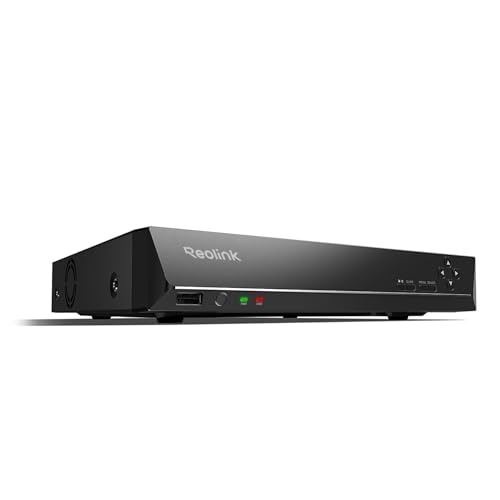
REOLINK RLN8-410 8CH NVR Network Video Recorder PoE
$349.99Eight PoE ports built into the recorder, so the cameras get power and data from the same box and there is no separate switch to budget.
- Channels
- 8
- PoE ports
- 8
Prices change often.
REOLINK RLN16-410 16CH NVR Network Video Recorder PoE
$459.99Sixteen channels for a property that has outgrown eight, and the usual reason to buy one is a detached garage or a second building.
- Channels
- 16
Prices change often.

Seagate Skyhawk 4TB Video Internal Hard Drive
$159.99Rated for continuous write from multiple camera streams, which is the entire difference between a surveillance drive and the cheaper desktop drive beside it.
- Capacity
- 4 TB
Prices change often.

Western Digital 4TB WD Purple Surveillance Internal Hard Drive, 256 MB Cache
$189.99The direct WD equivalent of the Skyhawk, with a larger cache that helps when many streams are writing at once.
- Capacity
- 4 TB
Prices change often.

ANNKE 12MP 8CH PoE Network Video Recorder, No HDD
$159.99Supplied without a drive, which is the cheaper path when you are fitting a surveillance drive sized from your own retention calculation rather than accepting whatever came in the box.
- Channels
- 8
- Resolution
- 12 MP
- PoE ports
- 8
Check first:No hard drive is included. Budget for a surveillance rated drive separately.
Check price on AmazonPrices change often.
Common questions
Is the bitrate a camera actually uses fixed at its typical value?
No. Typical bitrate is a planning convention, not a guarantee. Most cameras run a variable bitrate encoder that increases output when the scene has more motion, noise, or detail, and drops closer to the typical figure or below it on a static, well-lit scene. Wind-blown foliage, headlights, rain, and low-light noise at night are the most common causes of bitrate running well above the typical figure shown here.
Should I plan drive storage using the H.264 or H.265 figures?
Use whichever codec the camera and NVR actually run, checked in the device settings rather than assumed. Many modern PoE camera and NVR kits default to H.265 or a proprietary "smart" variant of it to save space, in which case the H.265 column applies. Mixed systems, where an older NVR only decodes H.264, should size storage against the H.264 figures instead.
Does frame rate change these bitrate figures?
Yes, though these figures already reflect a typical security camera frame rate, generally in the 15 to 20 frames per second range for continuous recording. Raising frame rate to 30 fps for smoother motion, or lowering it to 8 to 10 fps to save space, will move the actual bitrate up or down from the typical figure shown, roughly but not exactly in proportion to the frame rate change.
Why do some NVR menus show a different bitrate than these tables?
NVR and camera menus often expose a bitrate ceiling the encoder is allowed to reach, not the sustained average it actually produces on a normal scene. A camera configured with a 12 Mbps ceiling on a quiet residential street at night may sustain far less than that in practice, which is why the typical figures here reflect real-world averages rather than the configurable maximum.
Do wireless or battery cameras use the same bitrate figures?
Battery and wireless cameras generally record event clips rather than continuous video, and many use more aggressive compression or lower resolution streams to save battery and bandwidth, so their per-clip bitrate is often lower than a wired PoE camera set to continuous recording at the same resolution. These tables describe continuous, wired recording; treat clip-based wireless cameras as a separate calculation.
Get the system planning sheet
The camera count, storage and PoE budget worksheet, plus the wiring checklist, as one printable page.
Keep going
Before you point a camera at anything. Aim cameras at your own property and your own boundary, never into a neighbour's windows or across their garden. Cameras in bedrooms, bathrooms, or anywhere else a person reasonably expects privacy are a serious legal problem, and that includes guests, lodgers and anyone who works in your home. Audio is legally different from video, many US states require the consent of every party to a recorded conversation, and several recorders capture audio by default, so check your own state before you enable it. Some places require visible notice that recording is taking place, and landlords and homeowner associations often impose their own rules on top. This is researched general information and not legal advice, and the law varies by state and by country.
And once it is installed. Change every default password, keep the firmware updated, and be clear with yourself about where the footage goes: a cloud camera means a third party holds recordings of your home, while a local recorder keeps them in your house. That is a genuine buying consideration, not a technicality.