Upload bandwidth for 16 4MP (1440p) cloud cameras
16 4MP (1440p) cameras uploading continuously to the cloud need about 48 Mbps of upload, which is roughly 15552 GB per month. Most home broadband has far less upload than download, so this is the number that decides whether a cloud system is workable, and it is the strongest practical argument for recording locally instead.
How this is worked out
upload Mbps = cameras x bitrate Mbps x duty cycle
Duty cycle is the fraction of the day a camera is actually uploading. Continuous cloud recording is a duty cycle of 1. Event-only clip upload might be 0.02, which is why clip-based services are viable on connections that could never carry continuous upload.
| Recording mode | Duty cycle | Upload needed | Per month |
|---|---|---|---|
| Continuous cloud recording | 100 percent | 48 Mbps | 15552 GB |
| Heavy motion, about 8 h a day | 33 percent | 16 Mbps | 5184 GB |
| Moderate motion, about 2 h a day | 8 percent | 4 Mbps | 1296 GB |
| Event clips only | 2 percent | 0.96 Mbps | 311 GB |
| Upload speed | Continuous recording | Verdict | Event clips only |
|---|---|---|---|
| 1 Mbps up | 4800 percent | Not possible | 96 percent |
| 3 Mbps up | 1600 percent | Not possible | 32 percent |
| 5 Mbps up | 960 percent | Not possible | 19.2 percent |
| 10 Mbps up | 480 percent | Not possible | 9.6 percent |
| 20 Mbps up | 240 percent | Not possible | 4.8 percent |
| 35 Mbps up | 137 percent | Not possible | 2.7 percent |
| 50 Mbps up | 96 percent | Saturates the line | 1.9 percent |
| 100 Mbps up | 48 percent | Noticeable | 1 percent |
Why upload is the constraint and download is not
Residential broadband is deliberately asymmetric. A connection advertised at 300 Mbps commonly provides 10 to 20 Mbps of upload, and cameras only ever use upload. That single fact is why a camera system that looks trivial against a household's headline speed can still saturate the connection.
Viewing a camera remotely uses upload from the house as well, so checking 16 cameras from a phone while they are also recording to the cloud roughly doubles the demand for as long as the app is open.
What local recording changes
A local recorder writes 48 Mbps to a drive inside the house, over the local network, using none of the internet connection at all. Upload is then consumed only when somebody actually watches a camera remotely.
This is the practical argument for a PoE system with a recorder over cloud cameras, and it sits alongside the privacy one: footage that never leaves the building is footage no third party holds.
Record locally instead
A recorder keeps this traffic entirely inside the house, on the local network.
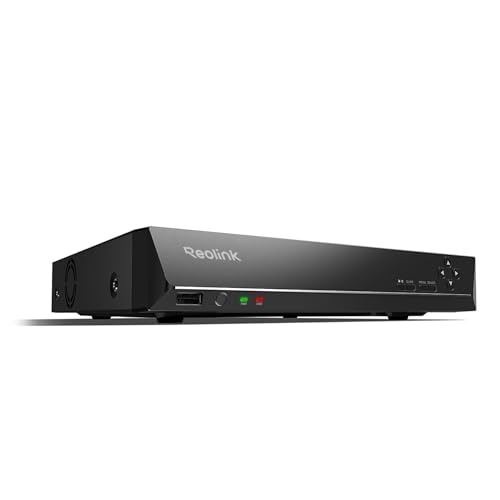
REOLINK RLN16-410 16CH NVR Network Video Recorder PoE
$459.99Sixteen channels for a property that has outgrown eight, and the usual reason to buy one is a detached garage or a second building.
- Channels
- 16
Prices change often.

REOLINK RLN8-410 8CH NVR Network Video Recorder PoE
$349.99Eight PoE ports built into the recorder, so the cameras get power and data from the same box and there is no separate switch to budget.
- Channels
- 8
- PoE ports
- 8
Prices change often.

ANNKE 12MP 8CH PoE Network Video Recorder, No HDD
$159.99Supplied without a drive, which is the cheaper path when you are fitting a surveillance drive sized from your own retention calculation rather than accepting whatever came in the box.
- Channels
- 8
- Resolution
- 12 MP
- PoE ports
- 8
Check first:No hard drive is included. Budget for a surveillance rated drive separately.
Check price on AmazonPrices change often.

TRENDnet 8-Channel UHD PoE NVR, TV-NVR1508
$107.99TRENDnet is a networking company rather than a camera company, and this recorder takes standards compliant cameras rather than locking to one brand.
- Channels
- 8
- PoE ports
- 8
Prices change often.
Common questions
How much internet do 16 security cameras use?
Recording continuously to the cloud at 4MP (1440p), about 48 Mbps of upload and roughly 15552 GB per month. Uploading only short event clips cuts that to around 311 GB per month. Cameras recording to a local drive use effectively none of your internet connection unless you are watching them remotely.
Will security cameras slow down my internet?
They can, and it shows up as upload congestion rather than slow downloads. When cameras use most of the available upload, the acknowledgements that download traffic relies on get delayed, so the whole connection feels sluggish. Cameras recording locally avoid this entirely, which is the simplest fix when a household notices the problem.
Does a data cap matter for security cameras?
It can matter a great deal. Continuous cloud recording for 16 cameras at 4MP (1440p) is about 15552 GB per month of upload, and some providers count upload against the cap. Check whether yours does before committing to a cloud system, because exceeding a cap every month is a recurring cost that never appears in the camera's price.
Can I record locally and still view cameras remotely?
Yes, and that is the usual arrangement. The recorder writes everything to its own drive, and upload is used only while you are actually watching a live view or reviewing footage from away. That gives you full continuous retention with none of the sustained upload demand of a cloud system.
Get the system planning sheet
The camera count, storage and PoE budget worksheet, plus the wiring checklist, as one printable page.
Keep going
- Upload bandwidth calculator
- Cloud subscription versus local NVR over five years
- Local NVR compared with cloud recording
- Where your footage actually lives
- Upload bandwidth for 16 5MP cloud cameras
- Upload bandwidth for 16 2MP (1080p) cloud cameras
- Upload bandwidth for 16 8MP (4K) cloud cameras
- Upload bandwidth for 2 4MP (1440p) cloud cameras
Before you point a camera at anything. Aim cameras at your own property and your own boundary, never into a neighbour's windows or across their garden. Cameras in bedrooms, bathrooms, or anywhere else a person reasonably expects privacy are a serious legal problem, and that includes guests, lodgers and anyone who works in your home. Audio is legally different from video, many US states require the consent of every party to a recorded conversation, and several recorders capture audio by default, so check your own state before you enable it. Some places require visible notice that recording is taking place, and landlords and homeowner associations often impose their own rules on top. This is researched general information and not legal advice, and the law varies by state and by country.
And once it is installed. Change every default password, keep the firmware updated, and be clear with yourself about where the footage goes: a cloud camera means a third party holds recordings of your home, while a local recorder keeps them in your house. That is a genuine buying consideration, not a technicality.